
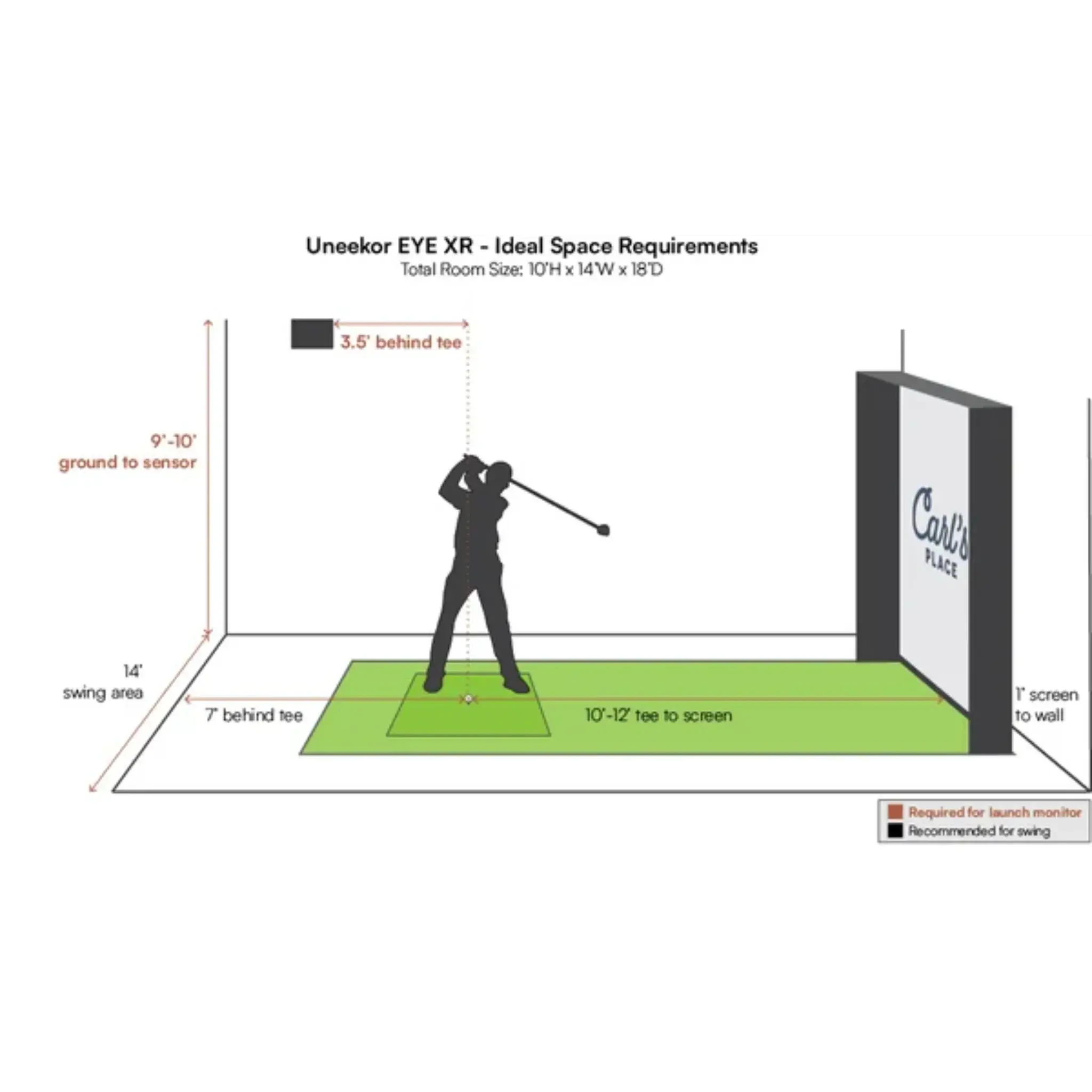
Minimum Space Requirements for a Golf Simulator: When to Choose an On-Ground Launch Monitor Over an Overhead System
Building a golf simulator starts with one question that affects almost everything else:
How much space do you actually have?
A lot of golfers begin by comparing launch monitor features, accuracy, and price. Those matter, but the physical dimensions of your room often decide what type of launch monitor makes sense long before you get to software or data points.
In many setups, the real choice is not simply “which launch monitor is better?” It is:
Should you choose an on-ground launch monitor or an overhead launch monitor based on your room dimensions?
This guide breaks down the minimum space requirements for a golf simulator, explains how room size affects launch monitor selection, and shows when an on-ground launch monitor is the smarter choice over an overhead launch monitor.
Why room dimensions matter more than people expect
A golf simulator is not just a screen and a sensor. It is a hitting environment that needs enough room for:
-
a full golf swing
-
ball flight into the screen
-
safe player clearance
-
launch monitor placement
-
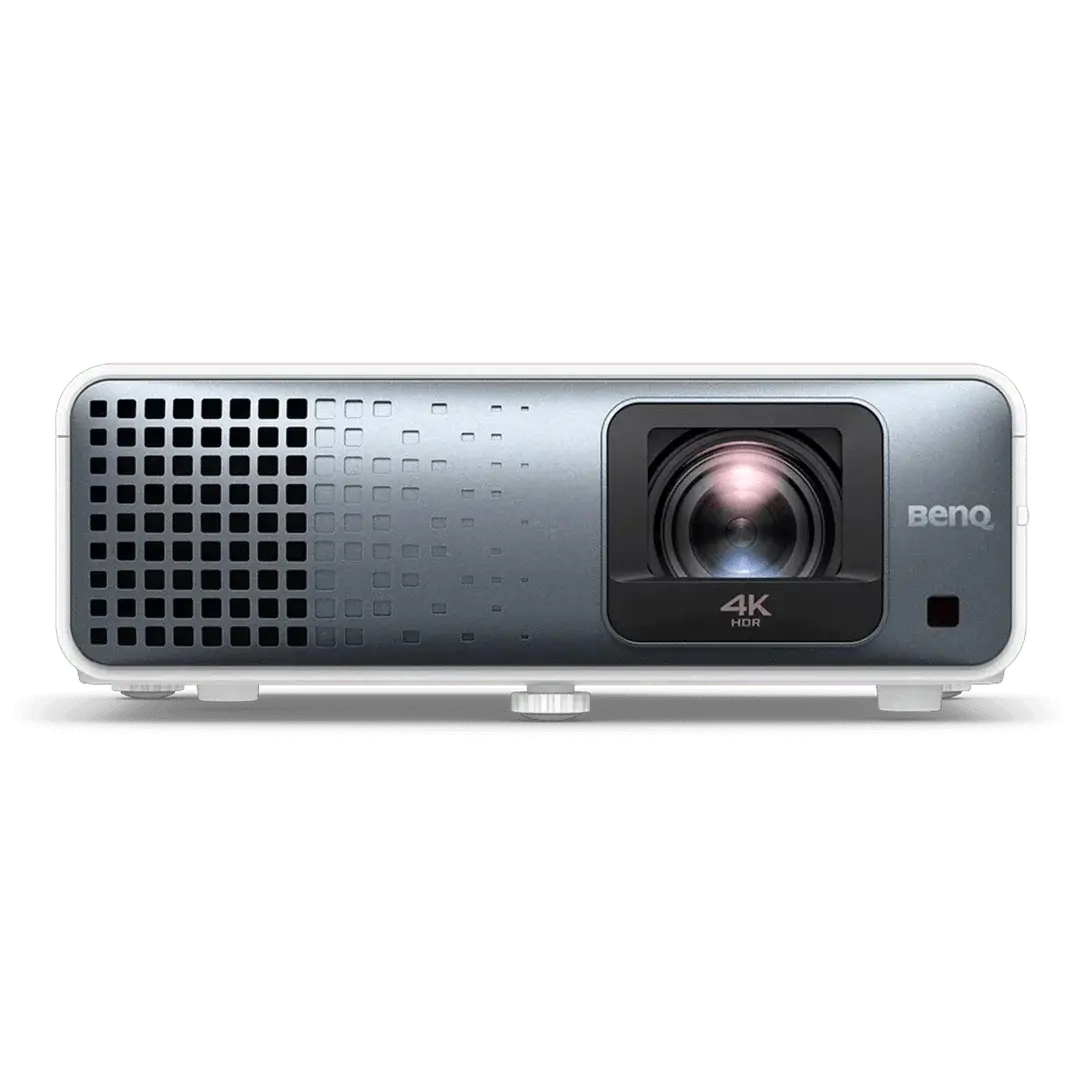
projector positioning
-
comfortable left- and right-handed play, if needed
You can sometimes fit a simulator into a room that is technically “big enough,” but if the launch monitor placement becomes awkward or the hitting zone becomes too restrictive, the setup will feel compromised every time you use it.
That is why dimensions should be evaluated in this order:
-
Ceiling height
-
Room width
-
Room depth
-
Monitor placement requirements
-
Player handedness
-
Projector and enclosure constraints
The minimum space requirements for a golf simulator
There is no single universal minimum because different launch monitors and simulator designs have different needs. Still, there are practical ranges that work for most home installations.
1. Ceiling height
Ceiling height is usually the first limiting factor.
Practical minimum:
-
8.5 feet is the absolute lower end for some golfers
-
9 feet is workable for many players
-
10 feet or more is much more comfortable
A golfer needs enough height to swing driver without changing posture or feeling restricted. Even if a player can technically swing under a lower ceiling, any sense of hesitation can ruin the simulator experience.
Why this matters for launch monitor choice
If your ceiling height is marginal, the question becomes less about overhead vs on-ground and more about whether the room is simulator-friendly at all. That said, some overhead systems also benefit from cleaner mounting conditions and enough vertical clearance to sit in the correct position above the hitting area.
2. Room width
Width is one of the most overlooked dimensions, especially when choosing between on-ground and overhead launch monitors.
Practical minimum:
-
10 feet is tight
-
12 feet is better
-
13 to 15 feet is ideal
A narrow room creates problems with swing clearance, especially for driver, and becomes even more important if both left- and right-handed players will use the simulator.
Why width matters so much
In tight rooms:
-
golfers may feel cramped at address
-
clubheads can get too close to side walls
-
centered hitting becomes harder
-
some launch monitor placements become less practical
This is where on-ground systems can sometimes be the better fit, depending on the unit and how the hitting zone is configured.
3. Room depth
Depth affects both safety and technology compatibility.
Practical minimum:
-
15 feet is often the lower end for compact setups
-
16 to 18 feet is more comfortable
-
18 feet+ gives you more flexibility
Depth has to cover:
-
distance from tee to screen
-
golfer standing behind the ball
-
backswing clearance
-
launch monitor placement
-
screen buffer and enclosure depth
When depth is limited, launch monitor type becomes a major design decision.
Understanding the difference: on-ground vs overhead launch monitors
Before deciding which is better for your room, it helps to define the two categories.
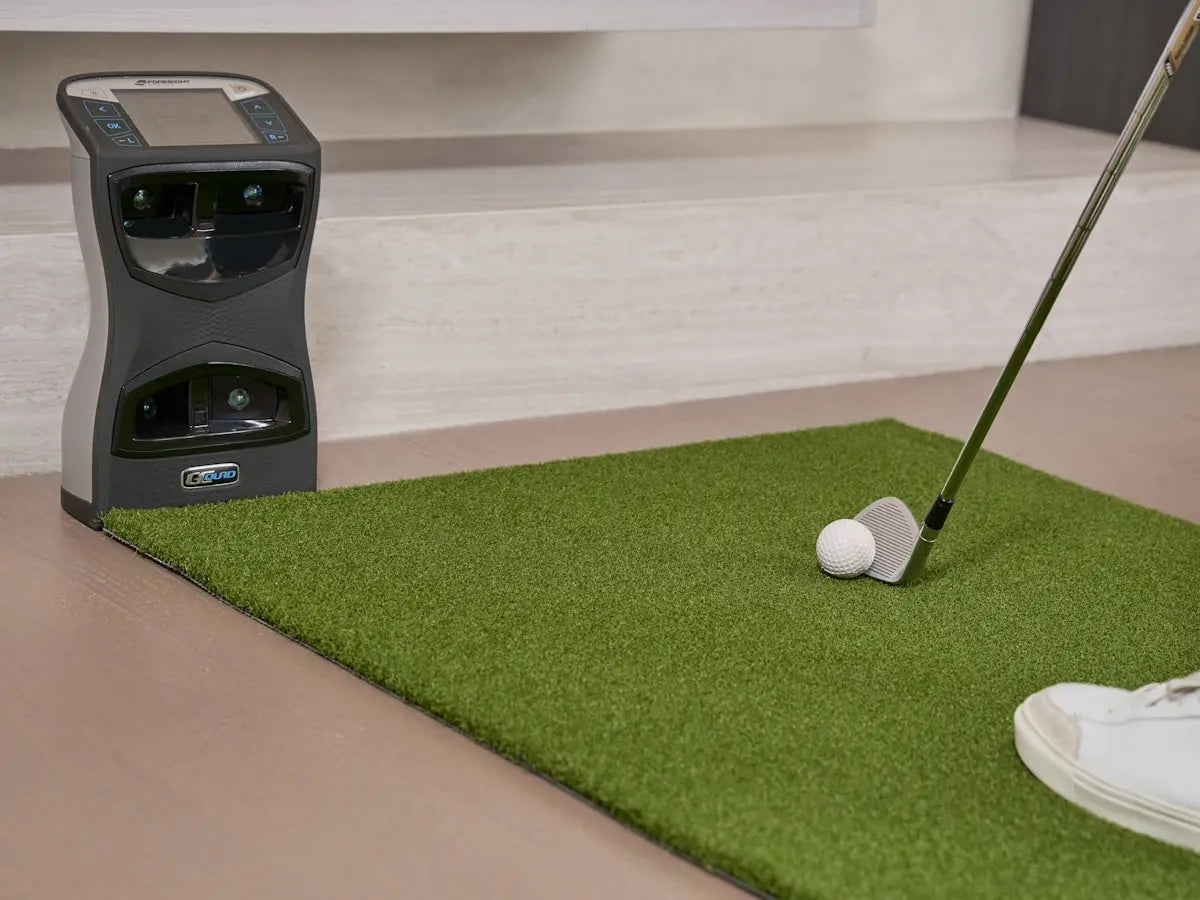
On-ground launch monitors
These sit on or near the floor, usually:
-
beside the ball
-
slightly behind the ball
-
or in front of the hitting area, depending on the design
They are often popular in home golf simulator builds because they can be easier to install and may work well in more compact environments.
Overhead launch monitors
These mount above the hitting area and track the ball and club from overhead. They are often preferred for:
-
a cleaner overall look
-
no device on the floor near the golfer
-
easier shared use for left- and right-handed players in some setups
-
less disruption around the hitting zone
But overhead systems depend heavily on the dimensions and geometry of the room.
When an on-ground launch monitor is the better choice due to room dimensions
There are several situations where an on-ground launch monitor is the more practical option.
1. When your room depth is limited
If your room is shallow, an overhead unit may be harder to position correctly relative to:
-
the screen
-
the hitting zone
-
the mounted projector
-
the player
In compact rooms, every foot matters. Some overhead systems need the hitting area to sit in a very specific part of the room. If that forces the golfer too close to the screen or too far back into the room, the setup becomes compromised.
An on-ground monitor can be the better fit when:
-
your room is around the lower end of usable depth
-
you need flexibility in exactly where the ball is placed
-
you are trying to maximize player comfort in a shorter room
Typical scenario
You have a room around 15 to 16 feet deep. You can make a simulator work, but you do not have much spare room once you account for enclosure depth, ball-to-screen distance, and golfer stance. In that case, a compact on-ground monitor may be easier to integrate than an overhead system that requires more rigid overhead alignment.
2. When your ceiling height is usable but not generous
If your ceiling is just high enough for a full swing, you may not want to add more constraints above the hitting zone than necessary.
An overhead monitor needs proper mounting height and clean sightlines. In rooms where the ceiling is only barely workable, the overhead option can feel less forgiving from an installation standpoint.
An on-ground monitor is often the safer choice when:
-
ceiling height is around 8.5 to 9 feet
-
taller players will use the space
-
you want to avoid overhead mounting complications
-
you are already working within tight vertical tolerances
This does not mean overhead units cannot work in lower-ceiling rooms. It means that if the room is already dimensionally tight, a floor-based unit may reduce installation friction.
3. When your room width is tight and only one handedness matters
Some golf simulator rooms are narrow but still usable for a single primary player. If that player is the only one using the simulator regularly, an on-ground monitor can make more sense.
Why? Because overhead systems are often attractive partly because they can support a cleaner central hitting zone for both left- and right-handed golfers. But if your room is narrow and only one golfer is really using the space, that advantage may matter less.
An on-ground monitor is often a smart choice when:
-
the room is around 10 to 12 feet wide
-
the simulator is mostly for one player
-
you do not need ambidextrous convenience
-
the hitting area can be optimized for one side
In this case, an overhead system may be solving a problem you do not actually have.
4. When projector and overhead space are already crowded
A golf simulator ceiling often has to accommodate:
-
a projector mount
-
projector throw path
-
lighting considerations
-
acoustic treatment
-
soffits, beams, or obstructions
-
protective placement concerns
If the overhead zone is already busy or awkward, adding an overhead launch monitor can complicate the entire design.
An on-ground unit may be the better choice when:
-
you have beams or bulkheads
-
projector positioning is already tight
-
ceiling mounting points are limited
-
you want a cleaner install process with fewer overhead conflicts
This is especially true in basements, garages, and bonus rooms where ceiling geometry is not simple.
5. When you need more flexibility during setup
Not every golfer builds a fully permanent simulator from day one. Some want the option to:
-
move components slightly
-
test different hitting positions
-
use the room for other purposes
-
reconfigure over time
Overhead systems are usually more permanent. Once mounted, the hitting zone is more fixed. On-ground units often give more flexibility in adapting the space.
That makes an on-ground launch monitor a good option when:
-
you are still dialing in the room
-
you are uncertain about final screen distance
-
you may upgrade the enclosure later
-
the simulator is semi-permanent rather than fully built-in
When an overhead launch monitor becomes the better option
To make the decision properly, it also helps to know when room dimensions favor an overhead system.
Overhead is often the better choice when:
-
ceiling height is comfortable, ideally 9 to 10+ feet
-
room depth is generous, ideally 16 to 18+ feet
-
room width supports centered hitting comfortably
-
both left- and right-handed players will use the simulator
-
you want no device on the floor beside the hitting area
-
you want a clean, permanent, premium-looking install
In other words, overhead systems tend to shine when the room is not merely “just enough,” but comfortably large enough.
A simple rule of thumb
If your room dimensions are borderline, the safer bet is often an on-ground launch monitor. If your room dimensions are generous and stable, an overhead launch monitor becomes more appealing. That is because overhead systems usually reward well-proportioned rooms, while on-ground systems often offer more tolerance in compact or imperfect spaces.
Recommended dimension ranges by setup type
These are practical planning ranges, not universal rules.
Compact home simulator: more likely to favor on-ground
-
Ceiling height: 8.5 to 9 feet
-
Width: 10 to 12 feet
-
Depth: 15 to 16 feet
This type of room can absolutely work, but it is usually where flexibility matters most. On-ground launch monitors are often easier to integrate here.
Mid-range dedicated simulator room: either can work
-
Ceiling height: 9 to 10 feet
-
Width: 12 to 14 feet
-
Depth: 16 to 18 feet
At this size, both on-ground and overhead options may be viable. The decision comes down to player handedness, mounting conditions, and desired permanence.
Premium dedicated simulator room: overhead becomes more attractive
-
Ceiling height: 10+ feet
-
Width: 14+ feet
-
Depth: 18+ feet
In a room like this, overhead systems can really show their strengths.
Key questions to ask before choosing
1. Is your room truly wide enough for comfortable centered hitting?
If not, and the simulator is mainly for one golfer, an on-ground setup may be simpler.
2. Is your ceiling high enough not just to swing, but to mount overhead hardware confidently?
If not, on-ground is often the better choice.
3. Is your room deep enough to position the hitting zone correctly without forcing compromises?
If depth is tight, on-ground may offer more flexibility.
4. Will both left- and right-handed golfers use the simulator often?
If yes, overhead becomes more compelling.
5. Is your simulator room permanent and purpose-built, or are you adapting an existing room?
Adapted rooms often favor on-ground systems.
Common mistakes homeowners make
Choosing overhead because it “looks cleaner”
Aesthetic matters, but not more than fit. A clean-looking setup that is dimensionally awkward will be frustrating to use.
Ignoring room width
Many buyers focus only on ceiling height and depth. Width is just as important, especially for comfort and handedness.
Underestimating mounting complexity
Overhead systems are not only about room size. Ceiling obstructions, projector placement, and exact alignment all matter.
Buying for the ideal future room instead of the actual current room
Choose the launch monitor that suits the room you have now, not the room you wish you had.
Best use cases for an on-ground launch monitor
An on-ground launch monitor is usually the better choice when:
-
you have a compact home simulator room
-
your ceiling height is just adequate
-
your depth is limited
-
your setup is mainly for one golfer
-
you want more placement flexibility
-
your room has beams, bulkheads, or overhead constraints
-
you want an easier install path with fewer ceiling dependencies
For many home users, this is the most practical route.
Best use cases for an overhead launch monitor
An overhead launch monitor is often worth it when:
-
your room dimensions are comfortably above minimums
-
you want a dedicated, high-end, permanent build
-
you need a clean hitting area with no floor unit
-
left- and right-handed golfers will both use the simulator often
-
your ceiling and projector layout allow proper mounting
In the right room, overhead can be excellent. In the wrong room, it can be the wrong problem to solve.
Final verdict: when should you choose on-ground over overhead due to dimensions?
You should generally choose an on-ground launch monitor over an overhead launch monitor when your simulator room is tight, borderline, or constrained in ways that reduce mounting flexibility.
That usually means:
-
lower but usable ceiling height
-
limited room depth
-
narrower width
-
single-player use
-
overhead obstructions
-
non-permanent or evolving room design
If your room is compact and every inch counts, an on-ground launch monitor often gives you a better chance of building a simulator that is comfortable, usable, and easier to install. If, on the other hand, your room is larger, taller, wider, and purpose-built, then an overhead launch monitor becomes more attractive.
The most important takeaway is this:
Do not choose the launch monitor category first. Choose the room first. Once you understand your dimensions honestly, the right choice becomes much clearer.
Conclusion
The best golf simulator setup is not the one with the flashiest technology. It is the one that works naturally within your space. For many home golf simulator builds, especially in basements, garages, and spare rooms, an on-ground launch monitor is the smarter choice because it handles real-world dimensional constraints more gracefully. If your room is compact or borderline, start there. If your room is spacious and purpose-built, then an overhead launch monitor may be worth the upgrade. In golf simulator design, space is not just part of the equation. It is the framework that determines everything else.

Leave a comment
This site is protected by hCaptcha and the hCaptcha Privacy Policy and Terms of Service apply.