


The Best Indoor Golf Simulators of 2026 (System-First): The One-Stop Master Buying Guide
In 2026, the best indoor golf simulators aren’t “products”—they’re systems. Your launch monitor, enclosure, screen, projector, PC, mat, and software either work together cleanly… or you end up with a frustrating room that technically works but doesn’t feel right.
At Elevated Golf Simulators, we built this as a one-stop shop master guide: you should be able to plan (and buy) a complete setup without leaving the page.
2026 trend context (straight from the market):
- AI coaching + smarter practice workflows are becoming the norm (especially in ecosystems like Uneekor).
- Stickerless, high-fidelity camera capture is what serious indoor golfers expect now.
- Indoor imaging matters more than “range specs.” Many buyers are prioritizing camera-based accuracy indoors over “outdoor distance tracking” hype.
Table of Contents (System-First)
- Quick “Browse” Links (Shop by Category)
- The 8 Decisions That Matter Most
- Buyer Personas (Pick Your Path)
- Basement vs. Garage Paths
- The Phased Build Path (Net + Mat Starter)
- Common Buying Mistakes (Avoid These)
- Core Components (Deep Dives)
Quick “Browse” Links (Shop by Category)
Use these to shop the same way we plan systems—by components:
- Launch Monitors: Browse Launch Monitors
- Golf Enclosures: Browse Golf Enclosures
- Projectors: Browse BenQ Projectors
- Uneekor: Browse Uneekor
- SkyTrak: Browse SkyTrak
- Foresight Sports: Browse Foresight Sports
- Rapsodo: Browse Rapsodo
- AccuGolf: Browse AccuGolf
The 8 Decisions That Matter Most
These are the decisions that actually determine whether you love your simulator—or regret it.
1) Room size (measure first)
You can’t pick hardware until you know width, height, depth, and where you’ll stand.
SIG enclosure sizing (real dimensions):
- SIG8 Golf Simulator Enclosure: 8.4'W x 8.4'H x 5'D
- SIG10 Golf Simulator Enclosure: 10.8'W x 8.4'H x 13.5'D
- SIG12 Golf Simulator Enclosure: 12'W x 9'H x 16'D (Recommended room: 14'W x 10'H x 20'D)
2) Use case (practice vs. play vs. both)
- If you’re practicing: prioritize club data, spin, and repeatability (camera systems shine indoors).
- If you’re entertaining: prioritize image quality, screen size, and fast “always ready” usability.
3) Launch monitor type (portable vs. overhead)
- Overhead = clean floor, righty/lefty friendly, “commercial bay” vibe.
- Portable/floor = flexible, movable, often easier initial install.
4) Handedness (righty-only vs. righty/lefty)
If you switch hitters often, overhead systems like Uneekor EYE XO2 are the smoothest experience.
5) Enclosure style (fixed studio vs. retractable)
- Fixed studio look: SIG-style enclosures.
- Multi-use room: retractables like SportScreen Vanish Series and SportScreen Parlour Series.
6) Screen material (white vs. grey)
Grey screens can look better in real homes with ambient light (deeper blacks, less washout).
7) Projector fit (throw ratio + brightness)
Projectors are not “one size fits all.” Throw ratio planning is what prevents shadows, weird mounts, and unusable images.
8) Hitting surface quality (joint health + realism)
A premium mat matters for injury prevention, fatigue, and repeatable strikes.
Buyer Personas (Pick Your Path)
Persona 1: The Serious Home Golfer (practice-first)
Why this wins: You want reliable indoor imaging, repeatable setup geometry, and club data that you can trust.
Recommended system direction:
- Launch monitor: Uneekor EYE XO2
- Enclosure: SIG12 Golf Simulator Enclosure (or SIG10 Golf Simulator Enclosure if room dictates)
Persona 2: The Improvement-Focused Player (best value data)
Why this wins: You want strong indoor performance without the complexity of an overhead install.
Recommended system direction:
- Launch monitor: SkyTrak+ or Foresight Sports GC3
- Enclosure: Browse Golf Enclosures
Persona 3: The Entertainment-First Buyer (wow factor)
Why this wins: Big, bright visuals + easy usability are everything.
Recommended system direction:
- Projectors: Browse BenQ Projectors
- Enclosure size: SIG12 Golf Simulator Enclosure if your room can handle it
Persona 4: The Commercial / Coach Buyer (throughput + durability)
Why this wins: You need stability, repeatability, and hardware that handles volume.
Recommended system direction:
- Launch monitor: Uneekor EYE XO2
- Bigger bay planning: SIG12-class footprint with commercial-grade projector planning
Basement vs. Garage Paths
Basement path (clean aesthetics, controlled light)
Basements tend to favor:
- Fixed enclosures like SIG10 Golf Simulator Enclosure and SIG12 Golf Simulator Enclosure
- Camera-based indoor accuracy like Uneekor EYE XO2
- Cleaner projector installs with proper throw planning
Garage path (multi-use + temperature + retractability)
If you’re building a golf simulator for garage, prioritize:
- Retractable enclosure: SportScreen Vanish Series (garage specialist)
- Or premium indoor retractable aesthetics: SportScreen Parlour Series (premium indoor look)
- Mats you can stand on a lot (joint health + comfort)
- A portable launch monitor if you need the bay to move fast
The Phased Build Path (Net + Mat Starter)
Not ready for a full enclosure yet? Start here and build up.
Phase 1 (starter): Net + mat + launch monitor
- Launch monitor: Browse Launch Monitors
- Mat: SIGPRO Softy 4' x 7' Golf Mat or Carl's Place HotShot™ Golf Mat System
Phase 2: Add enclosure + impact screen
- Enclosures: Browse Golf Enclosures
Phase 3: Add projector + PC (for full course play + 4K)
- Projectors: Browse BenQ Projectors
- PC: Surfthing SG3-5802
Common Buying Mistakes (Avoid These)
Mistake #1: Choosing equipment before measuring
If you don’t measure, you’ll buy the wrong enclosure size or the wrong projector throw.
Mistake #2: Ignoring projector planning
Throw ratio and mounting are what separate “amazing visuals” from “why is there a shadow on my screen?”
The Minimums vs. The Bests: Your Technical Checklist
This is the quick-reference section you come back to when you’re about to hit “Add to Cart.” It’s the minimums that work vs. the bests that feel effortless.
Space Requirements (The Physical Minimums)
Use this as your baseline before picking an enclosure, launch monitor type, or projector mount.
Room size tiers (quick scan)
| Room Tier | Width | Height | Depth | Best For / Warning |
|---|---|---|---|---|
| Absolute Minimum Room | 9' | 8.5' | 12' | Warning: very restrictive. Expect compromises on driver comfort, swing freedom, and projector placement. |
| Comfortable Room | 10–12' | 9.5' | 15–18' | The “most golfers are happy” zone for home sims. |
| Ideal / Premium Room | 13'+ | 10'+ | 18'+ | Supports LH/RH play, cleaner projector mounting, and makes overhead systems feel effortless. |
System-specific space (why your launch monitor type matters)
| System Type | Example | Typical Total Depth Needed | Notes |
|---|---|---|---|
| Portable Radar | Mevo+ style radar | 16–20' | Radar generally wants more flight window. Plan extra depth so it can “see” the ball. |
| Portable Camera | SkyTrak+, GC3 | 10–14' | Great when your room depth is limited and you still want reliable indoor reads. |
| Overhead | Uneekor EYE XO2 | 14–18' | Plan for 9.5' height minimum and comfortable depth for the hitting area + screen spacing. |
Quick planning tip: if you’re trying to run overhead + righty/lefty without headaches, aim for the Ideal/Premium tier. That extra width is what makes the bay feel “commercial,” not cramped.
PC Requirements (The Power Minimums)
Your simulator PC is either a clean, reliable “engine”… or the thing that causes stutter, lag, and crashes mid-round. The biggest avoidable mistake we see: accidentally buying a PC with integrated graphics.
PC spec tiers (1080p to 4K)
| PC Tier | CPU | GPU | RAM | Best For |
|---|---|---|---|---|
| The 1080p “Value” Minimum | Intel i5 (8th Gen) / Ryzen 5 | GTX 1050 Ti | 8GB | Beginners, budget builds, basic practice. |
| The “Sweet Spot” Recommended (1080p–1440p) | Intel i7 (10th Gen) / Ryzen 7 | RTX 3060 | 16GB | Most home users, smooth gameplay, minimal lag. |
| The “Ultimate” 4K High-Performance | Intel i9 / Ryzen 9 | RTX 4070/4080+ | 32GB | Premium 4K projectors like the BenQ LK936ST, commercial studios, max settings. |
Buying Tip (avoid the integrated graphics trap)
If you don’t want to spec parts, troubleshoot drivers, or accidentally end up with integrated graphics, go with a pre-configured simulator PC like the Surfthing SG3-5802. It’s the “no guessing” way to get stable performance—especially if you’re planning 4K.
Core Components (Deep Dives)
Launch Monitors
In a system-first build, your launch monitor choice determines: data trust, handedness workflow, space planning, and how “ready to play” your sim feels day-to-day.
Portable Launch Monitors (The Flexibility Tier)
Best for: golfers who want move-it-anywhere versatility (home sim + range), phased builds, and simpler installs.
High-End Professional: Foresight Sports GC3
Why It Wins / Best For:
- Elite-level 3-camera accuracy that’s widely trusted by fitters and serious players
- Indoor + outdoor ready (great if you want one unit for the sim and the range)
- Confidence-in-your-numbers choice when your goal is “practice that transfers”
The All-Rounder: SkyTrak+
Why It Wins / Best For:
- Uses both radar + cameras for a more complete data picture vs. basic camera-only units
- Strong “set it down and play” experience for most home bays
- No marked-ball routine for most users (less friction, more reps)
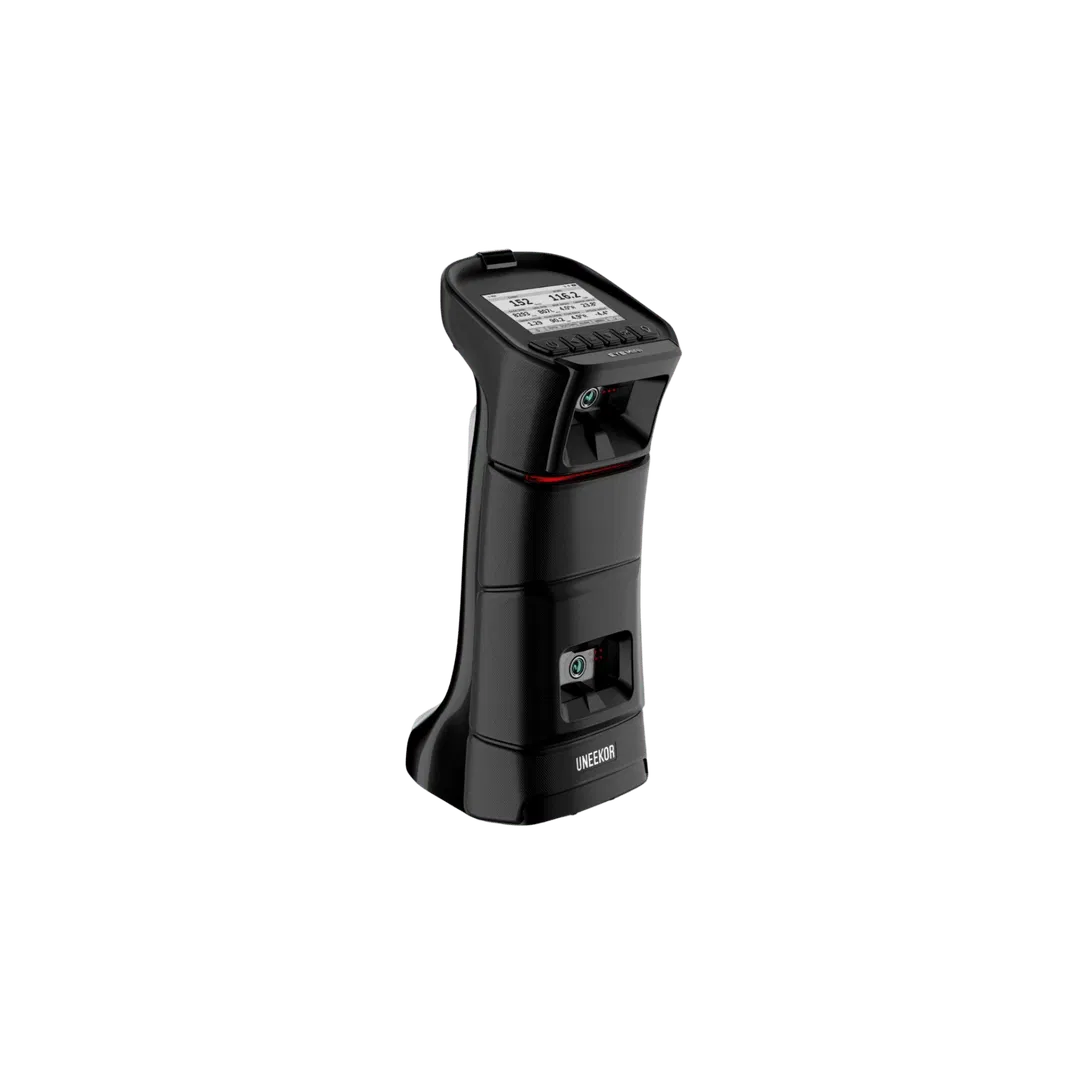
The Hybrid Pro: Uneekor EYE MINI
Why It Wins / Best For:
- High-speed camera technology in a portable form factor (excellent indoor imaging)
- Great when you want strong practice tools inside the Uneekor ecosystem
- Smooth workflow for golfers who care about practice modes + training features as much as course play
The Best Budget Entry: Rapsodo MLM2PRO
Why It Wins / Best For:
- Dual-camera “Impact Vision” style feedback at a fraction of the cost of premium units
- Perfect if you want an iPad-based setup and maximum portability
- Best entry point when your priority is fun + feedback, and you’re building your room in phases
Overhead Launch Monitors (The Premium Experience)
Best for: golfers who want a permanent, always-aligned bay, effortless righty/lefty switching, and a clean floor plan.
The Flagship: Uneekor EYE XO2
Why It Wins / Best For:
- Industry-leading 3-camera overhead system built for serious indoor imaging
- Massive hitting zone (less “perfect placement” stress)
- No marked balls required for day-to-day play and practice
- The “walk in and trust it” pick for high-end home and commercial installs
The Performance Speedster: Foresight Falcon
Why It Wins / Best For:
- Compact overhead design that fits cleanly in premium bays
- Quad-level accuracy feel with ultra-fast processing for a responsive experience
- Best for players who want a premium overhead unit but prefer a more compact ceiling footprint
The Elite Commercial Choice: Foresight Sports GCHawk
Why It Wins / Best For:
- Multi-sport capability (Golf + Soccer) for facilities and entertainment venues
- Enormous hitting area for effortless left/right-handed switching
- Best for high-traffic commercial bays where durability + throughput matter
The Smart Alternative: Apogee Ceiling Mounted
Why It Wins / Best For:
- Built-in visual feedback bar that helps you confirm status/reads quickly
- No-latency performance tracking feel for practice sessions
- Best for golfers who want an overhead-style workflow with simple, immediate feedback
Enclosures (Including Retractables)
SIG Enclosures (fixed studio look)
- SIG8 Golf Simulator Enclosure: 8.4'W x 8.4'H x 5'D
- SIG10 Golf Simulator Enclosure: 10.8'W x 8.4'H x 13.5'D
- SIG12 Golf Simulator Enclosure: 12'W x 9'H x 16'D (Recommended room: 14'W x 10'H x 20'D)
Why it wins: predictable sizing, clean aesthetics, and a finished “real bay” feel.
Retractables (garage vs premium indoor)
- SportScreen Vanish Series: Garage specialist (true “golf simulator for garage” retractable path)
- SportScreen Parlour Series: Premium indoor aesthetics for finished rooms
Impact Screens
White screen direction (classic):
High-contrast grey direction (ambient light):
Projectors (BenQ Focus)
In a system-first build, your projector decision is mostly about throw ratio (mounting fit) and brightness (image punch)—then you pick resolution based on budget and how “premium” you want the finished bay to feel.
Golf Simulator Projectors (The Visual Tier)
Best for: anyone who wants the “wow” factor to match the quality of their launch monitor and enclosure.
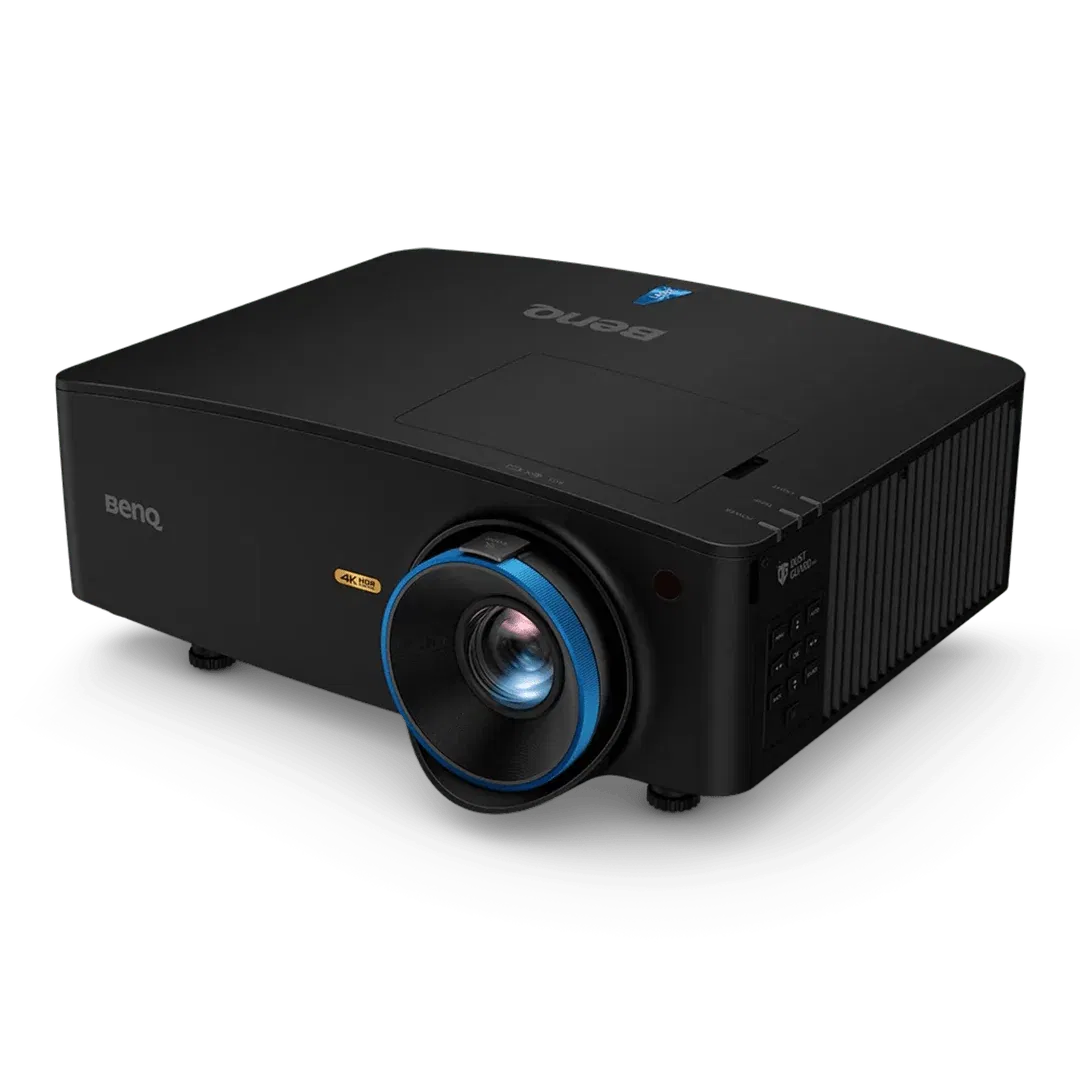
The Ultimate 4K Flagship: BenQ LK936ST
Why It Wins / Best For:
- 5100 lumens of laser-bright 4K UHD for high-end immersion
- Best for large screens (SIG10/SIG12 sized visuals) and rooms with any ambient light
- The “buy once, cry once” projector when you want a commercial-bay look at home
The Value 4K Laser: BenQ TK710STi
Why It Wins / Best For:
- Crystal-clear 4K resolution at a more accessible price point
- Great for home theaters + sims where you want 4K sharpness without going full flagship
- Best for golfers building a premium home setup that still respects budget
The 1080p Laser Workhorse: BenQ LU935ST
Why It Wins / Best For:
- Incredible brightness with maintenance-free laser life for busy households and facilities
- Excellent fit when you want a bright, punchy image but don’t need 4K
- Best for high-use sims where reliability and uptime matter
The Budget Short-Throw King: BenQ TH671ST
Why It Wins / Best For:
- Exceptional 1080p quality for the price
- The go-to for starter home simulators and phased builds
- Best for golfers who want a solid image now and may upgrade to 4K later
Golf Simulator PC Requirements
If you want 4K simulation to feel premium—especially with course play—your PC needs to be planned like a core component (not an afterthought).
Minimum (functional baseline):
- CPU: i5
- RAM: 8GB
- GPU: GTX 1060
Recommended (4K-ready direction):
- CPU: i7
- RAM: 16GB
- GPU: RTX 3060+
Recommended high-performance option:
Hitting Mats
SIGPRO Softy 4' x 7' Golf Mat
Why It Wins: joint health + comfortable high-volume practice.
Carl's Place HotShot™ Golf Mat System
Why It Wins: modular platform + replaceable strip strategy.
Portable Spotlight: Uneekor EYE MINI
If you want indoor imaging in a portable format, the Uneekor EYE MINI is one of the most popular “do it all” paths in 2026.
Need help planning the system?
If you want us to sanity-check your room dimensions, projector fit, and the right enclosure size before you buy, call or text Elevated Golf Simulators. We’ll help you plan the full system—launch monitor to screen to PC—so it works the first time.


