
Article: Crafting the Optimal Simulator Room Design for Indoor Golfing

Crafting the Optimal Simulator Room Design for Indoor Golfing
In the quest to elevate your golf game, an indoor golf simulator provides an ideal solution. It allows golfers to practice in the comfort of their homes, regardless of weather conditions. Designing the perfect simulator room involves several considerations, from choosing the right equipment to optimizing your space for a true-to-life experience. This guide will walk you through crafting an optimal simulator room design for indoor golfing, ensuring you make the most out of your investment.
Table of Contents
- Table of Contents
- Understanding the Essentials
- 1. Simulator Space Requirements
- 2. Choosing the Right Simulator and Launch Monitors
- 3. Selecting the Right Impact Screen
- Equipment Essentials
- 1. Projectors
- 2. Enclosures
- 3. Hitting Mats
- 4. Accessory Considerations
- Crafting Ambience and Functionality
- 1. Acoustics
- 2. Seating and Comfort
- 3. Storage Solutions
- Tips for Maximizing Your Experience
- Conclusion
Understanding the Essentials
Creating the ideal indoor golfing sanctuary involves more than just installing a simulator. Here's a breakdown of the fundamental components:
1. Simulator Space Requirements
Before delving into equipment purchases, evaluate your available space:
- Dimensions: Ensure your room dimensions support the simulator setup. An average golf swing requires roughly 10-12 feet in width and 15 feet in depth. Consider a ceiling height of at least 8.5 to 10 feet to accommodate full swings and projectors.
- Lighting: Adequate lighting is crucial to avoid glare on screens and ensure proper visibility of metrics provided by launch monitors.
2. Choosing the Right Simulator and Launch Monitors
A quality golf simulator and launch monitor are at the heart of any setup. For guidance on selecting the right technology, read about Essential Gear for Golf Simulators: A Complete Buying Guide.
3. Selecting the Right Impact Screen

An impact screen not only captures ball impact but serves as the visual display. For durability and clarity, consider the SIG™ Preferred Finished Golf Simulator Impact Screen. Alternatively, explore the Carl's Place Standard Golf Simulator Impact Screen for robust options.
Equipment Essentials
Once your space is defined, focus on crucial equipment:
1. Projectors
A projector is pivotal for creating an immersive experience. Ensure the projector supports HD display for vivid simulation graphics and can adapt to your room’s ambient light conditions. Position it to avoid shadows on the impact screen.
2. Enclosures
Enclosures encapsulate your simulator space and protect your room from stray balls. They also contribute to an authentic feel. Ensure your enclosure matches the size and shape of your space.
3. Hitting Mats

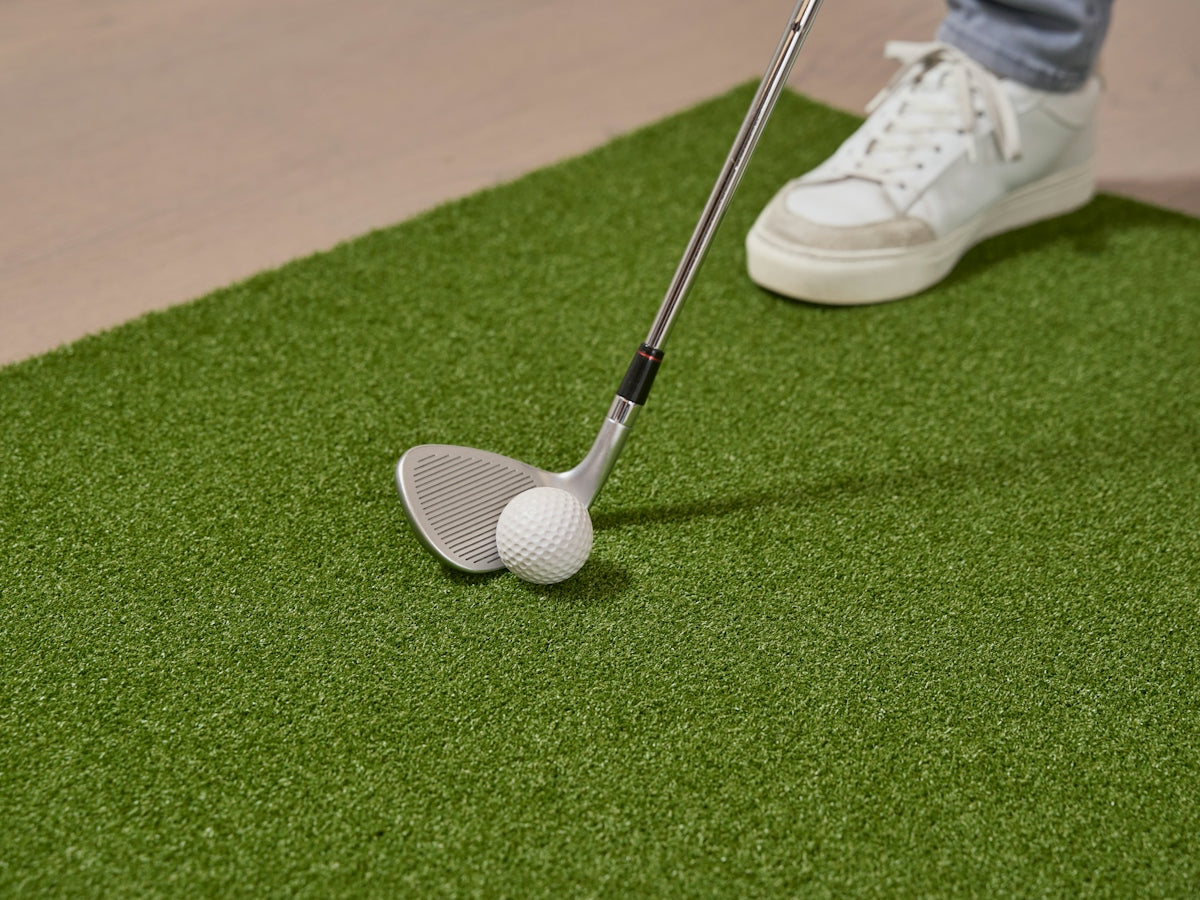
Select a hitting mat that simulates real turf to enhance your practice. The SIG Fairway Series Golf Mat is excellent for providing a realistic hitting experience.
4. Accessory Considerations

To complete your setup, consider installing golf simulator tees like the Carl's Place Indoor Golf Simulator Tees and other accessories. A Carpet Panel Gap Pad Golf Simulator Accessory can protect your space and add stability to your setup.
Crafting Ambience and Functionality
Your simulator room should be functional yet comfortable:
1. Acoustics
To minimize sound disruptions, incorporate acoustic panels or choose carpeting that absorbs sound well. This step ensures your setup is enjoyable for everyone in your household.
2. Seating and Comfort
Integrate comfortable seating for moments of relaxation or when hosting friends for a golf simulator session, ensuring your room is both a practice facility and a social hub.
3. Storage Solutions
Install smart storage solutions for clubs, balls, and other golf gear. Keeping accessories organized enhances the functionality and appeal of your simulator room.
Tips for Maximizing Your Experience
- Regular Updates: Regular software updates for your simulator system can ensure you’re benefiting from the latest features and technologies.
- Annual Maintenance: Protect your investment by conducting annual maintenance checks on your projector, screen, and launch monitor for optimal performance.
- Explore Technological Integrations: For ideas on evolving your setup, read more about upgrading your simulator technology in our article Upgrade Your Home with a Golf Simulator: Technology That Transforms.
Conclusion
Designing the optimal simulator room involves careful consideration of space, equipment, and ambience. By selecting high-quality components and tailoring your space to suit your needs, you can achieve a home golf environment that rivals professional ranges, enhancing both your enjoyment and your performance. Explore our collection of golf simulator products at Elevated Golf Simulators to outfit your perfect setup.
With the right planning and equipment, every day becomes a perfect day for golf practice, right at home.

Leave a comment
This site is protected by hCaptcha and the hCaptcha Privacy Policy and Terms of Service apply.