


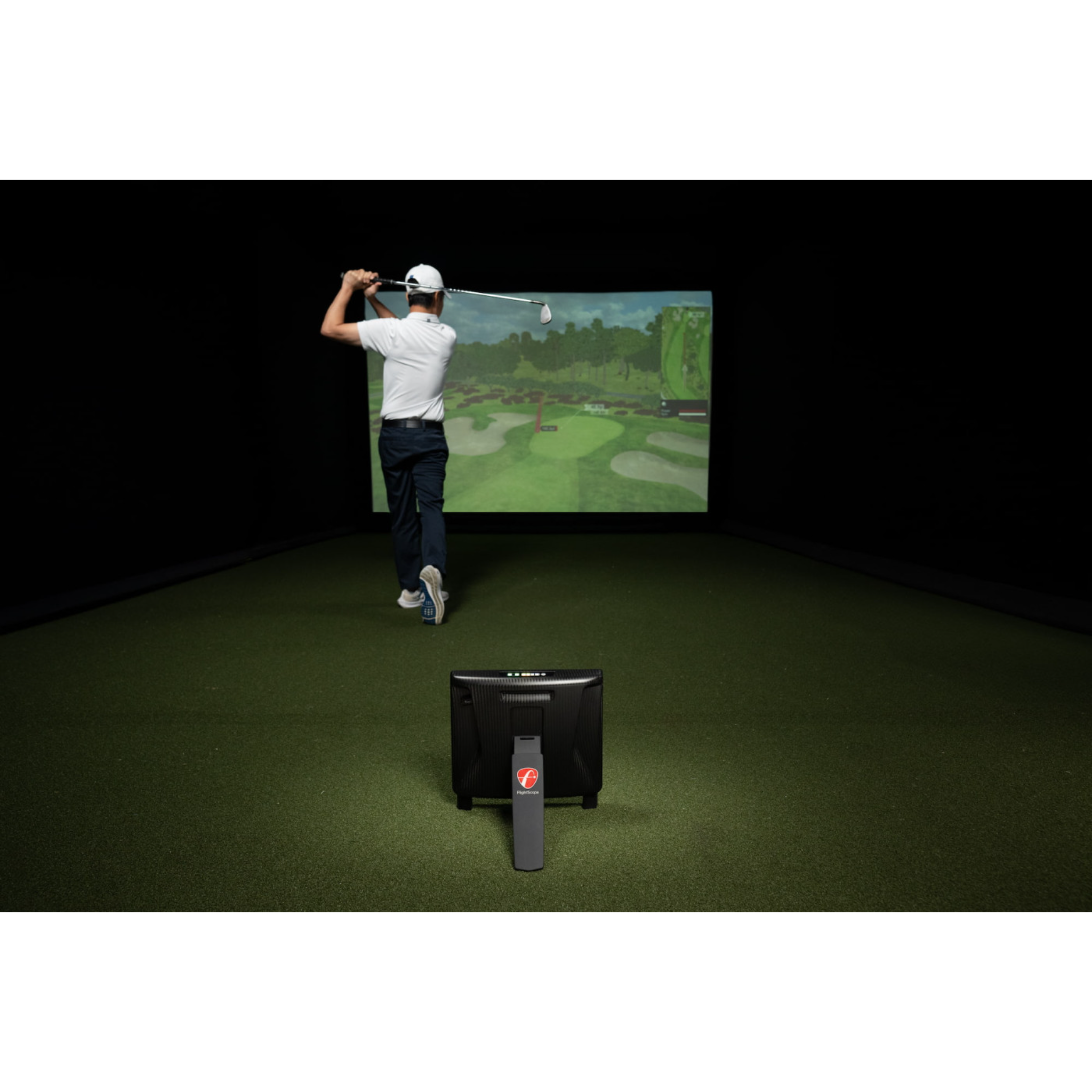
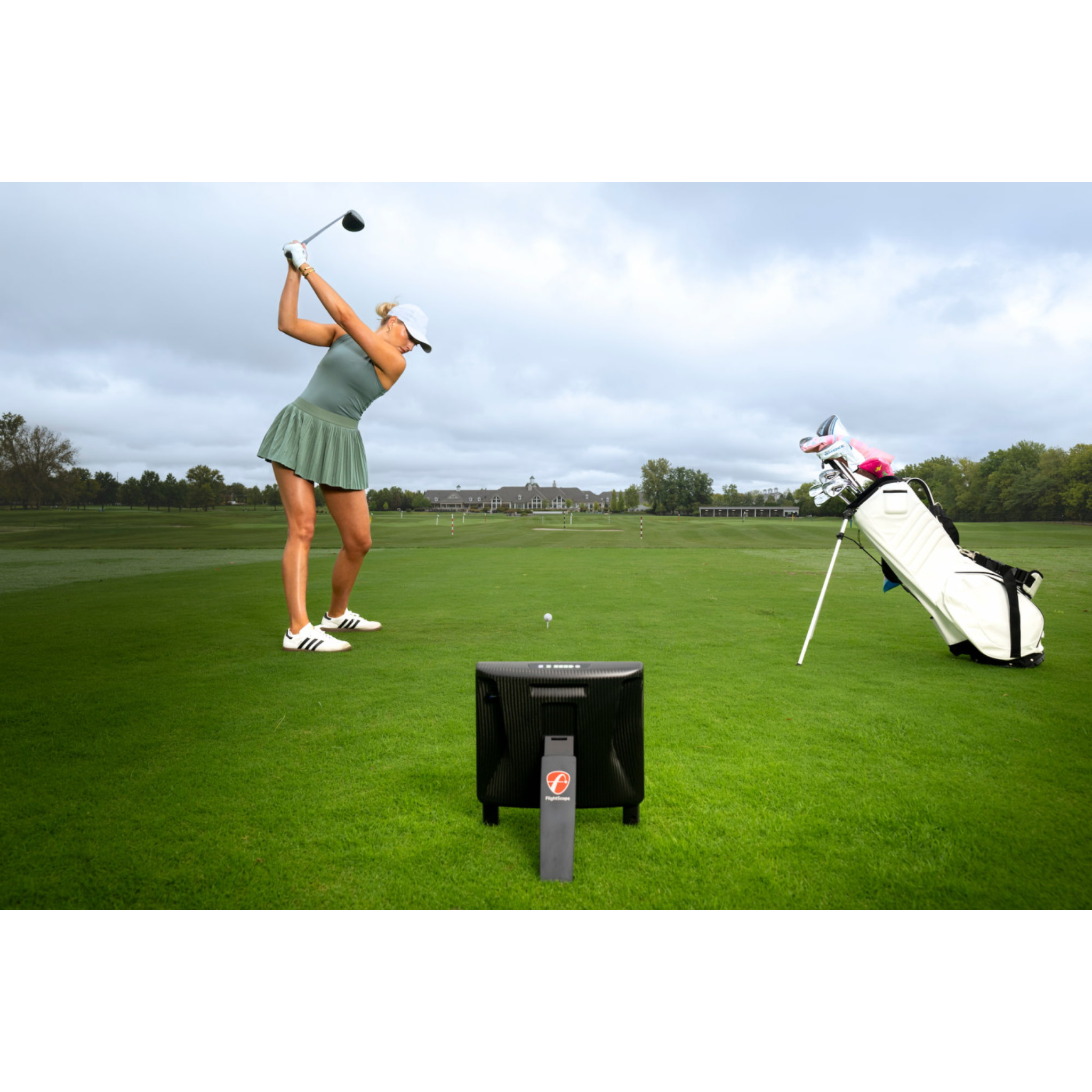
FlightScope X3C Launch Monitor
Need Help? Call or Text us: +1 (701) 404-8299
Ships in 10-14 Business Days

The FlightScope X3C Launch Monitor is FlightScope's professional-grade full-tracking radar system, engineered for golfers, instructors, club fitters, and golf facilities that demand comprehensive performance data and exceptional shot-tracking capabilities.
Combining 3D Doppler radar with synchronized high-speed image processing, FlightScope's patented Fusion Tracking technology analyzes the golf ball and club throughout the shot to deliver detailed performance insights indoors and outdoors. Outdoors, the X3C is capable of full-flight tracking from impact through landing.
Built around a handcrafted aerospace-grade carbon fiber construction, the X3C combines premium materials with advanced golf performance technology in a portable 6 lb 10 oz platform.
Whether you're building a professional golf simulator, fitting equipment, coaching players, or analyzing your own game, the X3C delivers an extensive suite of full-swing, short-game, putting, impact-location, trajectory, and video-analysis tools.
Why Choose the FlightScope X3C?
The X3C goes beyond measuring basic ball speed and carry distance. Its comprehensive data set allows golfers and professionals to understand what the ball did, what the club did, and why the shot produced its particular result.
With full-swing, chipping, and putting analysis available from one system, the X3C is designed to become the central performance-analysis platform for a serious golfer, teaching studio, fitting facility, or premium golf simulator.
Fusion Tracking Technology
FlightScope's patented Fusion Tracking combines 3D Doppler radar with synchronized high-speed image processing.
Instead of relying exclusively on a single tracking method, Fusion Tracking brings radar and camera technologies together to provide accurate and consistent shot data across a wide range of golf shots.
For outdoor sessions, the X3C is a full-tracking radar, following the golf ball from impact all the way to landing.
50 Data Parameters
Analyze virtually every part of ball flight and club delivery with an extensive collection of full-swing, chipping, and putting metrics.
Full-swing data includes:
- Carry Distance
- Roll Distance
- Total Distance
- Ball Speed
- Club Speed
- Smash Factor
- Vertical Launch Angle
- Horizontal Launch Angle
- Spin Rate
- Spin Axis
- Apex Height
- Flight Time
- Lateral Landing
- Shot Dispersion
- Angle of Attack
- Spin Loft
- Shot Type
- Club Path
- Face to Path
- Face to Target
- Vertical Swing Plane
- Horizontal Swing Plane
- Low Point
- Dynamic Loft
- Vertical Descent Angle
- Curve
- Club Speed Profile
- Club Acceleration Profile
- Face Impact Location
This extensive dataset gives golfers, coaches, and club fitters the information needed to analyze ball flight, optimize equipment, understand swing delivery, and track improvement over time.
Face Impact Location
See where the golf ball strikes the clubface and evaluate impact location alongside your swing and ball-flight data.
The X3C's Face Impact Location functionality includes lateral and vertical impact information, while heat-map visualization helps identify strike tendencies across an entire practice or fitting session.
Combining impact location, swing video, club data, and ball data gives you a much more complete picture of what happened during each shot.
Advanced Chipping & Short-Game Analysis
The X3C isn't limited to full swings.
FlightScope provides extensive chipping data including:
- Carry Distance
- Roll Distance
- Total Distance
- Ball Speed
- Club Speed
- Smash Factor
- Vertical & Horizontal Launch
- Spin Rate
- Spin Axis
- Height
- Flight Time
- Shot Dispersion
- Angle of Attack
- Spin Loft
- Club Path
- Face to Path
- Face to Target
- Dynamic Loft
- Low Point
- Vertical Descent Angle
- Club Speed Profile
- Club Acceleration Profile
This makes the X3C an exceptionally versatile tool for wedge fitting, short-game instruction, distance control, and player development.
Advanced Putting Analysis
Take performance analysis onto the putting surface with dedicated putting metrics.
The X3C can provide:
- Launch Speed
- Total Distance
- Ball Direction
- Club Speed
- Smash Factor
- Roll Speed
- Roll Distance
- Skid Distance
- Roll Deceleration
- Skid Deceleration
- Bounce Count
- Bounce Distance
- Ball Speed Profile
Golfers and instructors can use this information to better understand how the ball launches, skids, bounces, and transitions into its roll.
Video & Data Analysis
Automatically capture action video clips and combine them with selected performance data.
FlightScope's software allows coaches and golfers to review swing mechanics alongside the numbers generated by the X3C. Users can also draw lines and circles, add voice-over commentary, and share recorded sessions.
For teaching professionals, this creates a powerful workflow for lessons: capture the swing, analyze the data, annotate the video, and share feedback with the player.
Multi-Camera Swing Analysis
FlightScope Multicam expands the X3C into a multi-angle teaching and analysis system.
Compatible configurations can combine up to two mobile devices with the X3C's internal camera, automatically recording and synchronizing multiple perspectives for review on iOS devices.
It's an especially valuable feature for teaching studios, golf academies, and club-fitting environments where seeing the swing from multiple angles can complement the launch monitor's measured data.
Environmental Optimizer
See how changing playing conditions can affect your golf shots without changing locations.
FlightScope's Environmental Optimizer allows you to adjust factors including:
- Altitude
- Air Temperature
- Humidity
- Wind Speed
- Wind Direction
- Relative Landing Height
It's an excellent tool for understanding how a shot may perform under different environmental conditions and preparing for golf at different elevations, temperatures, and weather conditions.
Trajectory Optimizer
Use your personal shot data to evaluate and optimize trajectories throughout your bag.
Trajectory Optimizer allows golfers to explore high, mid, and low trajectories along with different landing-surface conditions such as soft, medium, and hard.
Trajectory Optimizer is currently available on iOS.
FlightScope Tracer
Give your practice and coaching videos a broadcast-inspired look with FlightScope Tracer.
Tracer displays the 3D trajectory of the golf shot over recorded video while incorporating FlightScope performance data, making it useful for instruction, analysis, and shareable golf content.
FlightScope Tracer is currently available on iOS.
FS Golf App
The FS Golf app provides a customizable interface for practice, coaching, fitting, and performance analysis.
Features include:
- Customizable performance-data displays
- 3D ball-flight trajectories
- Video and data integration
- Automatic video recording and clipping
- Data margins
- Instant performance feedback
- Customizable trajectory views
- Session analysis
- Apple Watch integration for selected shot data
Set desired ranges for individual parameters and receive immediate visual feedback to help turn launch-monitor data into structured practice.
FlightScope Skills
Put your numbers into context using FlightScope Skills.
Skills provides customizable combine-style assessments designed to evaluate accuracy and overall performance.
Create challenges using different targets, target sizes, locations, and scoring values to build structured practice sessions around specific areas of your game.
E6 Connect Golf Simulation Included
The FlightScope X3C includes access to 12 E6 Connect simulated golf courses for iOS and PC, adding premium golf simulation to its performance-analysis capabilities.
Included courses are:
- Pebble Beach
- The Old Course at St Andrews
- Bethpage Black
- Bay Hill
- Harbour Town
- The Greenbrier
- The Belfry
- Banff Springs
- Panther Lake
- Wade Hampton
- Oslo Golf Club
- Aviara
Practice with detailed FlightScope performance data or turn your X3C into the foundation of a premium indoor golf simulator.
Indoor & Outdoor Performance
Use the X3C in a dedicated golf simulator, indoor teaching studio, driving range, club-fitting bay, or outdoor practice environment.
Limited-Flight / Indoor Full Swing
- Sensor-to-tee distance: 8–12 ft
- Ball flight: 8–13 ft
- Aluminum ball stickers required
Outdoor Full Swing
- Sensor-to-tee distance: 8–12 ft
- Unrestricted ball flight
Limited-Flight Chipping
- Sensor-to-tee distance: 5 ft
- Ball flight: 8 ft
- Aluminum stickers required
Outdoor Chipping
- Sensor-to-tee distance: 5 ft
- Maximum ball flight: 50 yards
Putting
- Sensor-to-tee distance: 5 ft
- Maximum ball travel: 30 ft
Premium Carbon Fiber Construction
The FlightScope X3C is built using aerospace carbon fiber materials, creating a premium enclosure while keeping the professional tracking radar relatively lightweight.
Each carbon fiber shell is individually handcrafted, meaning the appearance of the carbon fiber pattern can vary from unit to unit.
At just 6 lb 10 oz, the X3C can be transported between a teaching studio, fitting bay, range, golf course, or simulator installation.
Easy Setup
Auto-leveling feet and an internal camera help streamline X3C setup and alignment.
For professionals moving between locations—or golfers who don't want their launch monitor permanently installed—this combination makes the X3C easier to deploy while maintaining the positioning required for accurate tracking.
FlightScope X3C Specifications
| Specification | FlightScope X3C |
|---|---|
| Tracking Technology | 3D Doppler Radar + Synchronized Image Processing |
| Tracking System | FlightScope Fusion Tracking |
| Outdoor Tracking | Full Ball Flight, Impact to Landing |
| Environment | Indoor & Outdoor |
| Data Parameters | 50 |
| Construction | Aerospace Carbon Fiber |
| Dimensions | 12" × 1 7/8" × 10" |
| Weight | 6 lb 10 oz |
| Battery | Rechargeable Lithium Polymer |
| Alignment | Internal Camera |
| Leveling | Auto-Leveling Feet |
| Golf Simulation | E6 Connect |
| Included E6 Courses | 12 |
| Full Swing Analysis | Yes |
| Chipping Analysis | Yes |
| Putting Analysis | Yes |
| Face Impact Location | Yes |
| Video Analysis | Yes |
| Multicam | Yes |
| Environmental Optimizer | Yes |
| Trajectory Optimizer | Yes – iOS |
| FlightScope Tracer | Yes – iOS |
| FS Golf App | iOS & Android |
What's Included
Your FlightScope X3C includes:
- FlightScope X3C Launch Monitor
- Power Adapter
- USB Cable
- Ethernet Cable
- 100 Aluminum Stickers
- Carrying Case
- 12-Course E6 Connect License
- User Manual
- Tape Measure
Who Is the FlightScope X3C For?
Serious Golfers
Build a detailed understanding of your swing, club delivery, ball flight, strike location, wedges, and putting using one comprehensive performance platform.
Golf Instructors & Coaches
Combine launch-monitor measurements with video, multicamera recording, impact analysis, Skills assessments, and shareable lesson content.
Professional Club Fitters
Evaluate the relationship between club delivery, impact, launch conditions, spin, trajectory, carry, descent angle, and overall performance when fitting equipment.
Golf Academies & Training Facilities
Use the X3C as a comprehensive player-development platform covering everything from full swings to putting.
Premium Home Golf Simulators
Pair professional-level FlightScope tracking with E6 Connect simulation for a simulator designed around both entertainment and serious practice.
Professional Performance Data. Complete Game Analysis.
The FlightScope X3C Launch Monitor is built for golfers and professionals who don't want to compromise on performance analysis.
From full-flight radar tracking and Fusion Tracking technology to club-delivery metrics, face-impact analysis, short-game measurements, putting data, video recording, and golf simulation, the X3C provides the tools to analyze virtually every area of the game.
For a premium home simulator, professional teaching studio, fitting facility, or data-driven golfer, the FlightScope X3C delivers an exceptionally comprehensive golf launch monitor and performance-analysis platform.
Choose options
Let customers speak for us
I purchased my launch monitor, Uneekor Eye Mini Lite from Elevated Golf Simulators. While the lead time for the unit got extended due to demand (no fault of Elevated Golf), it was an amazing experience. They communicated with me so often to let me know what was going on and how hard they were working. Overall a very positive experience and nice to see that level of commitment and customer service. I’ll look no further for my simulator needs.

This simulator projector really is fantastic. I've been looking for the right one for a while and the customer service team at Elevated Golf Simulators took the time to help me understand the options and choose the right one. Definitely recommend!

I am absolutely blown away by the Nvisage N1 Launch Monitor! As a golfer always looking to improve my game, this device has been a game-changer. It provides incredibly accurate data on ball speed, spin rate, launch angle, and distance – everything you need to fine-tune your swing and make real improvements. The setup was quick and easy, and the interface is super user-friendly. What I love most is how portable it is, so I can use it both at the range and at home. Whether you’re a beginner or a seasoned golfer, the N1 is an invaluable tool for taking your game to the next level. Highly recommend!

Started using the Uneekor EYE MINI Launch Monitor and have felt my golf game get more consistent. Excellent service and fast shipping!

The Uneekor EYE MINI Launch Monitor is working great, was easy to setup and I'm excited to see how my golf game will improve as a result.

Fantastic experience purchasing my launch monitor on this site! The navigation was seamless, and I easily found the product I wanted. I couldn’t be happier with the overall experience!
I was amazed by the advertised shipping time, sure enough I received my order in 8 days!!
I really appreciate the build and effort the team here took to build out the site. Wishing elevated golf simulators all the best.

I don't know much about golf personally, but my older brother loves it and I wanted to get him something he'd like for his birthday. The support team was very insightful and patient to direct me towards the best buy to make for my needs. 10/10 would recommend!
Elevated golf simulators really goes the extra yard when it comes to customer relations. Couldn’t be happier with their products and service!